123 Web Messenger Server Software
User Manual
Home
  • Introduction
  • Installation and Upgrade
  • Admin Panel
  • License Info
  • Basic Settings
  • Facebook Bar Application
  • Skin Settings
  • Logo Settings
  • View Settings
  • Registration Settings
  • Help Settings
  • Custom Menu Item
  • Profile Settings
  • Advertising Settings
  • Message Settings
  • Language Settings
  • System Settings
  • Basic System Settings
  • Filter Words
  • Integration Panel
  • User Management
  • Add User
  • Edit User
  • Admin Account
  • Ban Settings
  • Advanced Settings
  • Audio Video Module
  • File Transfer Module
  • Windows Desktop Application
  • System Management
  • Announcement Panel
  • Restart
  • Monitor Panel
  • Submit Ticket
  • Family Software
  • Website Integration

Home HomePre page License Info | Facebook Bar Application Next page

Basic Settings


Basic Settings

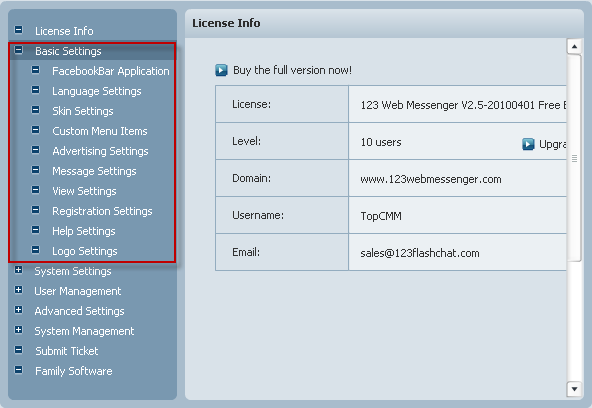
If you want to set Basic Settings for you 123 Web Messenger, please click the node named "Basic Settings" in the Admin Panel. What kinds of configurations can you setup here? Please look at the following picture to get the answer.

Note: After you finishing setting the relevant configurations, please do not forget to save them.

Related links:

Admin Panel


Home HomePre page License Info | Facebook Bar Application Next page

Copyright @2001-2010 TopCMM Software Corp.